Operating Hours
This sub-page lets you set when your restaurant is open. We use this to calculate available booking slots for customers.
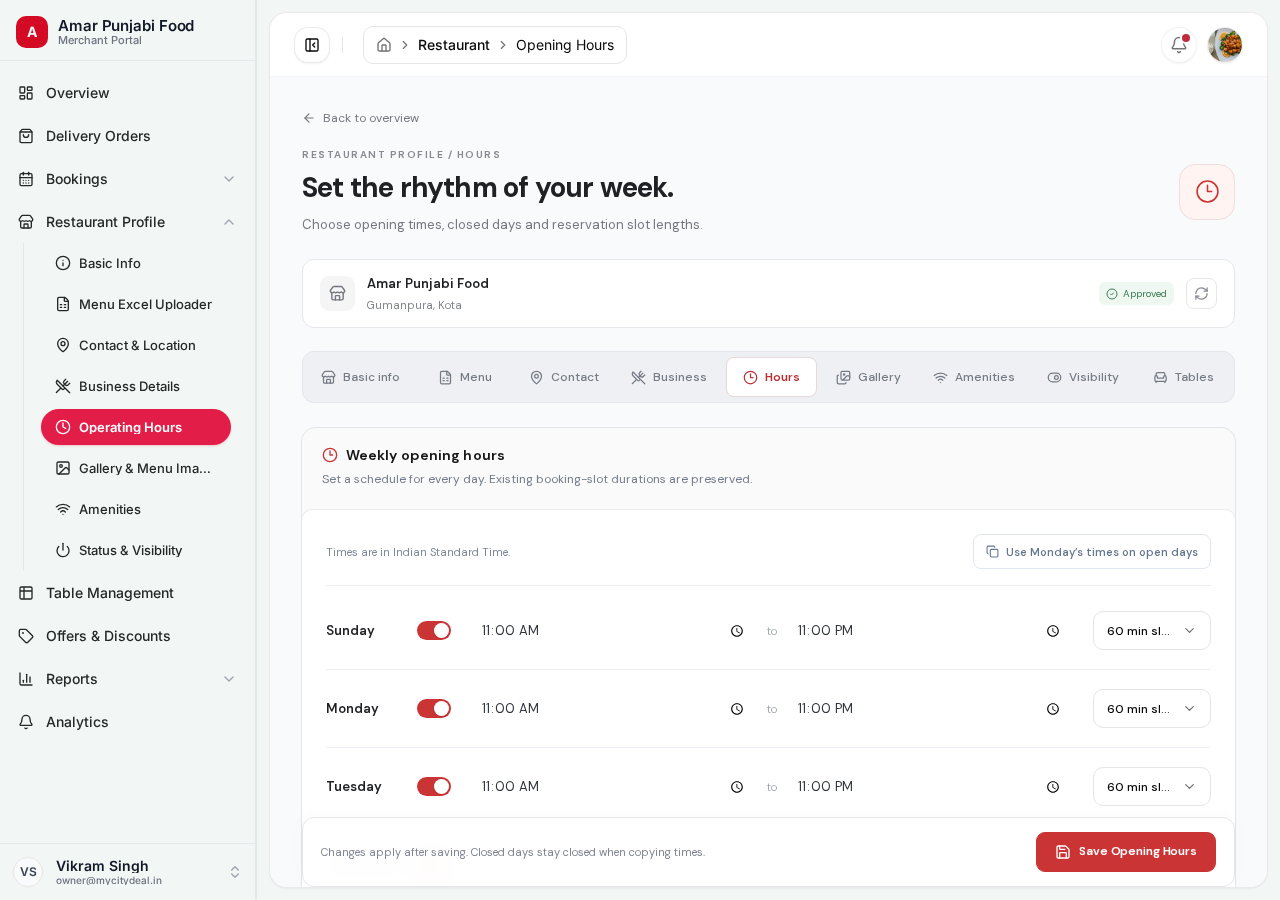
What you'll set
Each day of the week has:
| Field | Example | Notes |
|---|---|---|
| Open time | 11:00 |
When you start accepting customers |
| Close time | 23:00 |
When you close (last booking time) |
| Closed? | ☐ Checkbox | Mark if you're closed that day |
Plus a global setting:
| Field | Example | Notes |
|---|---|---|
| Slot length | 30 minutes |
Time between bookable slots |
Setting Hours for Each Day
For each day (Monday through Sunday):
- If you're open that day:
- Enter your open time (e.g.,
11:00) - Enter your close time (e.g.,
23:00)
- Enter your open time (e.g.,
- If you're closed that day:
- Check the "Closed" box
- Leave the time fields empty
Times use 24-hour format (HH:mm). Example: 14:30 means 2:30 PM.
Slot Length
This is how often customers can book a table. Common choices:
| Slot length | Best for |
|---|---|
| 15 minutes | Quick-service, cafes |
| 30 minutes | Casual dining (most popular) |
| 45 minutes | Slightly longer meals |
| 60 minutes | Standard dining |
| 90 minutes | Fine dining |
| 120 minutes | Special occasions |
When customers search, they'll only see slots at the times you've chosen (e.g., 11:00, 11:30, 12:00, 12:30...).
How it Works Behind the Scenes
Once you save:
- We calculate all available slots between your open and close time
- We subtract slot length (e.g., last booking must complete before close)
- We filter out slots where tables are already booked
- Customers see only the truly-available slots
So if you're open 11:00-23:00 with 30-min slots:
- First slot: 11:00
- Last slot: 22:30 (giving 30 min to finish by 23:00)
- Total: ~23 slots per day
Updating Hours for Holidays or Special Events
You can update your hours anytime — say you're closing early one day or opening late for a private event:
- Go to this sub-page
- Change the times for that day
- Click "Save hours"
Existing bookings are NOT affected. New bookings will use the new hours.
Saving
Click "Save Operating Hours" at the bottom.
Next
Head to Gallery & Menu Photos to upload visual content.
Ready to grow your restaurant?
Join 50+ restaurants on MyCityDeal and start receiving bookings today.