Menu
Your menu is what customers see when they visit your detail page or browse listings. You can add items in two ways: bulk import via Excel (recommended for restaurants with 10+ items) or add one at a time.
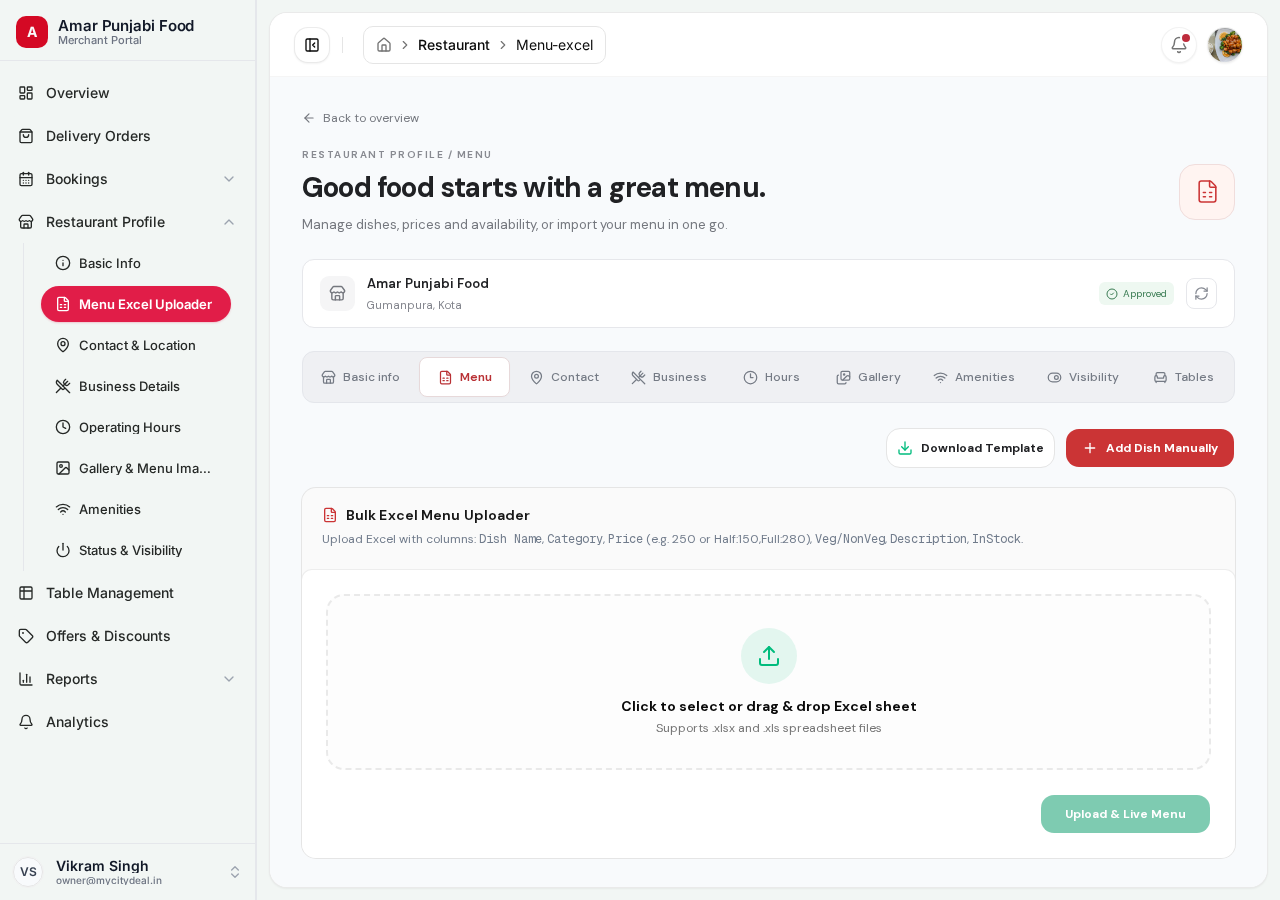
Option A: Bulk Import (Recommended)
Best when you have 10+ items. Saves time and reduces typos.
Step-by-step
- Click "Download sample template" — you get an Excel file
- Open the file in Excel / Google Sheets / Numbers
- Fill in your items (one row per item)
- Save the file
- Click "Upload menu" on this page
- Select your file
- Backend parses, validates, and inserts all items
- You see a success message
Sample Template Format
The Excel template has these columns:
| Column | Required | Example | Notes |
|---|---|---|---|
| Name | Yes | Chicken Biryani |
Item name shown to customer |
| Category | Yes | Mains |
Like "Starters", "Mains", "Desserts" |
| Price | Yes | 350 |
In INR (₹) |
| Type | Yes | NON_VEG |
One of: VEG, NON_VEG |
| Description | No | Aromatic basmati rice |
1-2 line description |
| Available | Yes | TRUE or FALSE |
Whether the item is currently sold |
Tips
- Save the file as
.xlsx(Excel format) - Don't change the column headers
- Empty rows are ignored
- If any row has an error, the whole file is rejected (you'll see a clear error)
Option B: Add Items One at a Time
Best when you have a small menu or want to add items on the fly.
Each item form has:
| Field | Required | Example |
|---|---|---|
| Name | Yes | Paneer Butter Masala |
| Category | Yes | Mains |
| Price | Yes | 240 |
| Veg/Non-veg | Yes | VEG |
| Description | No | Creamy tomato gravy with soft paneer cubes |
Click "Add item" to save.
Editing and Removing
Once items are added, you can:
- Edit — click on an item, change the fields, save
- Delete — click the trash icon, confirm
- Toggle Available — quickly mark an item as out-of-stock without deleting
Best Practices
- ✅ Add at least 10 items before going live
- ✅ Group items into clear categories (Starters, Mains, Desserts, Drinks)
- ✅ Use clear, appetizing descriptions
- ✅ Mark items as unavailable when 86'd (sold out) instead of deleting
- ✅ Update prices regularly if they change
Next
Head to Contact & Location in the sidebar to set up your contact info.
Ready to grow your restaurant?
Join 50+ restaurants on MyCityDeal and start receiving bookings today.