Analytics
The Analytics section has 7 visual reports that help you understand your restaurant's performance. All charts accept date range filters so you can compare periods.
The 7 Analytics Reports
| Report | URL | What it shows |
|---|---|---|
| Revenue Tracking | /dashboard/analytics/revenue-tracking |
Day-by-day revenue, growth %, projections |
| Bookings | /dashboard/analytics/bookings |
Booking volume trends |
| Customers | /dashboard/analytics/customers |
New vs repeat customers |
| Offers | /dashboard/analytics/offers |
Coupon redemption stats |
| Reviews | /dashboard/analytics/reviews |
Rating trends |
| Coupon Analytics | /dashboard/analytics/coupon-analytics |
Which coupons perform best |
| Revenue | /dashboard/analytics/revenue |
Detailed revenue breakdown |
Revenue Tracking
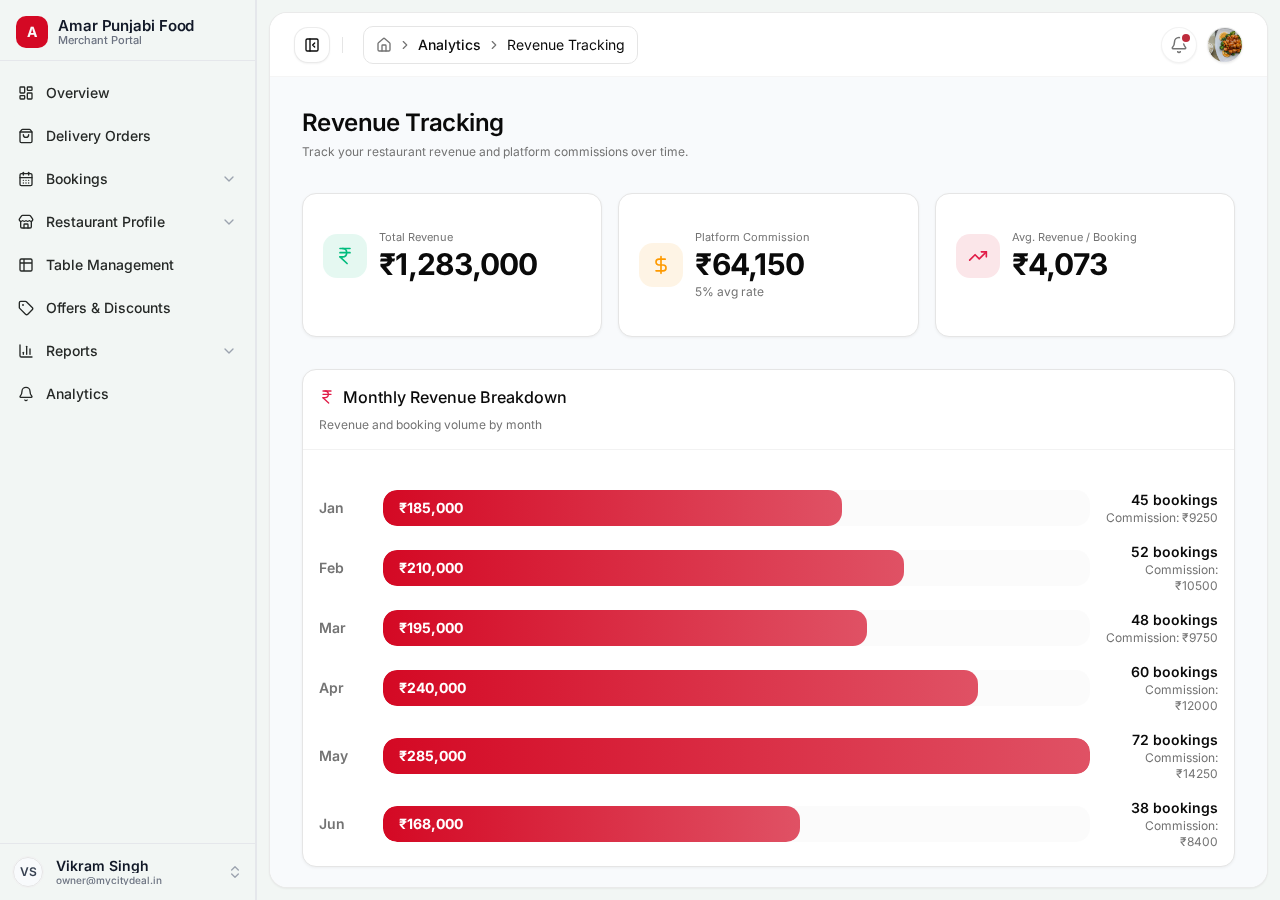
Your most important report. Shows:
- Daily revenue for the date range
- Growth % compared to previous period
- Projection for the rest of the month
- Top 5 days of the period
Use this every week to spot trends.
Bookings Analytics
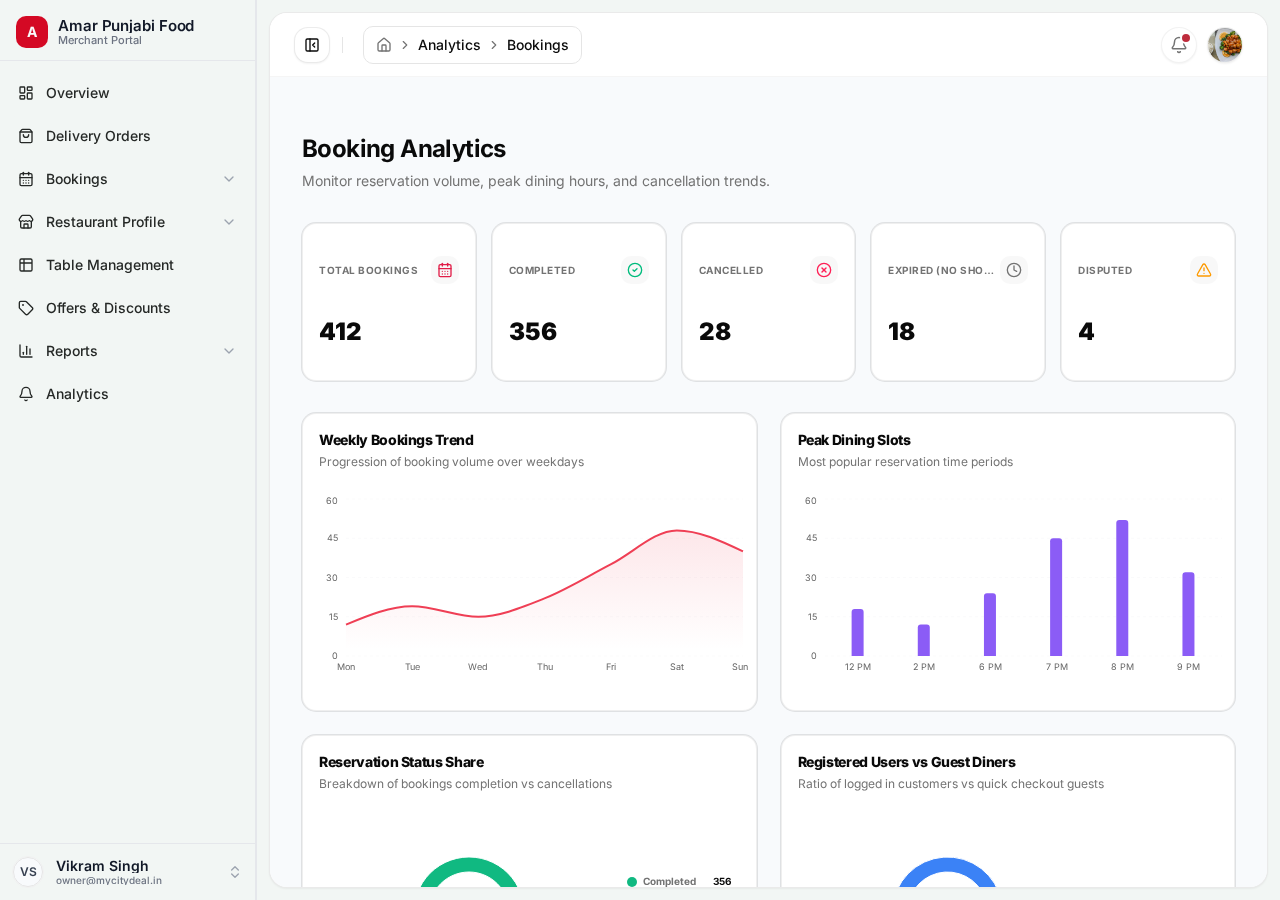
Visual breakdown of your bookings:
- By status (confirmed, cancelled, completed)
- By day of week (which days are busiest)
- By time slot (when customers book)
- By party size (solo, couples, groups)
Useful for:
- Identifying peak hours
- Planning staffing
- Spotting slow periods to add offers
Customers Analytics
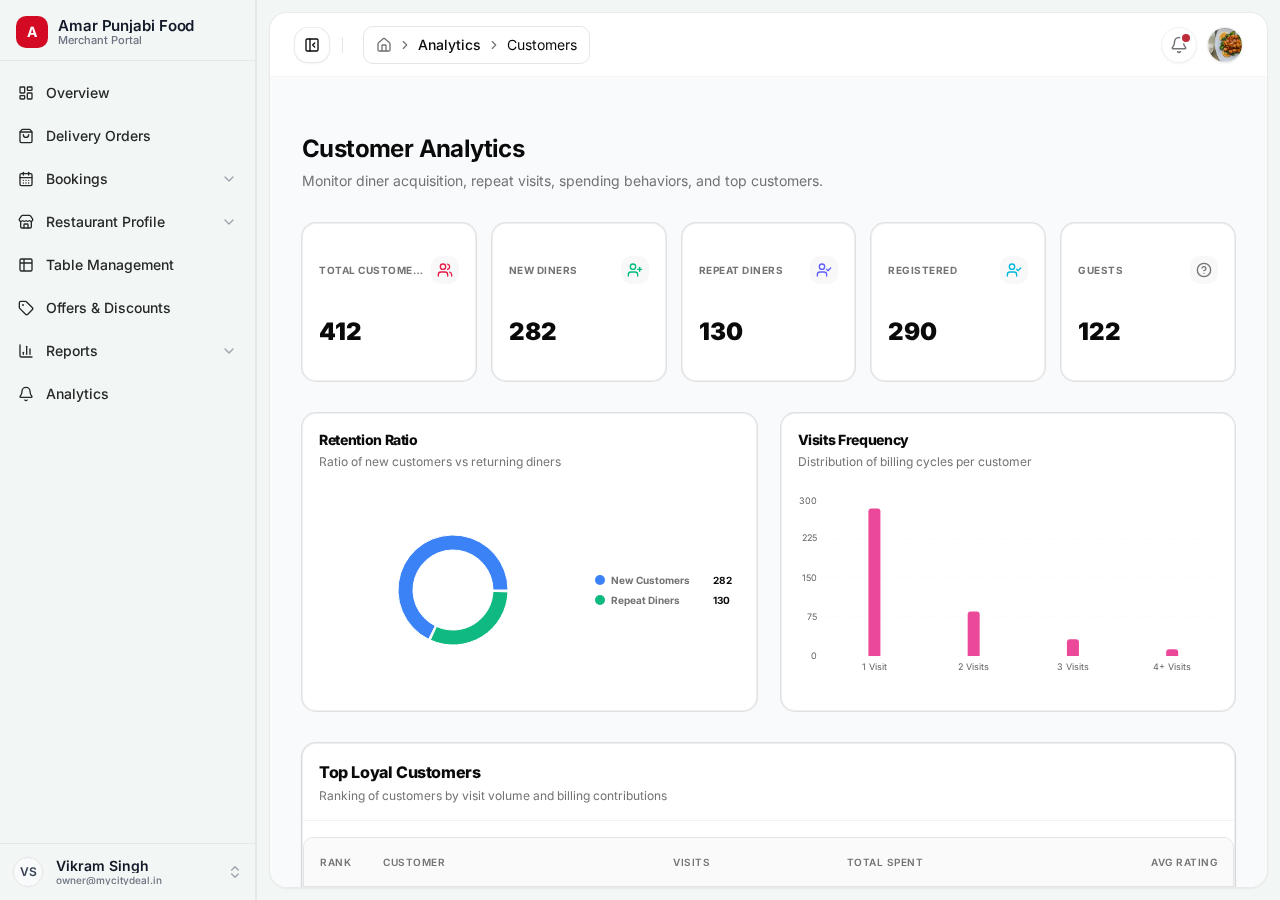
Customer-related metrics:
- New vs Repeat customers
- Customer lifetime value
- Visit frequency
- Top customers by spend
Repeat customers are 5x more valuable than new ones. Focus on retention.
Offers Analytics
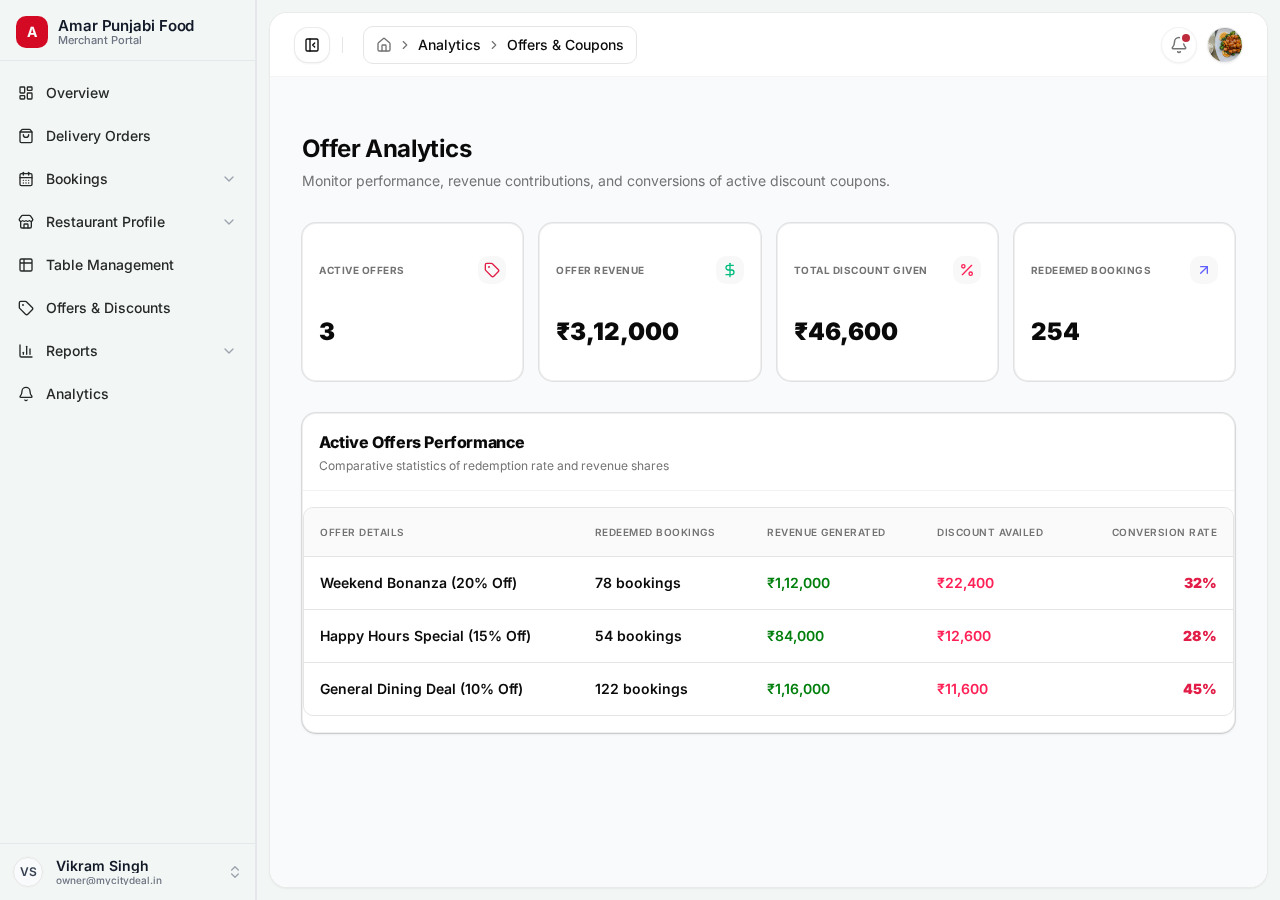
How your coupons are performing:
- Redemption rate per offer
- Revenue generated per offer
- Most popular code
- Offer usage by day of week
Use this to decide which offers to keep running.
Reviews Analytics
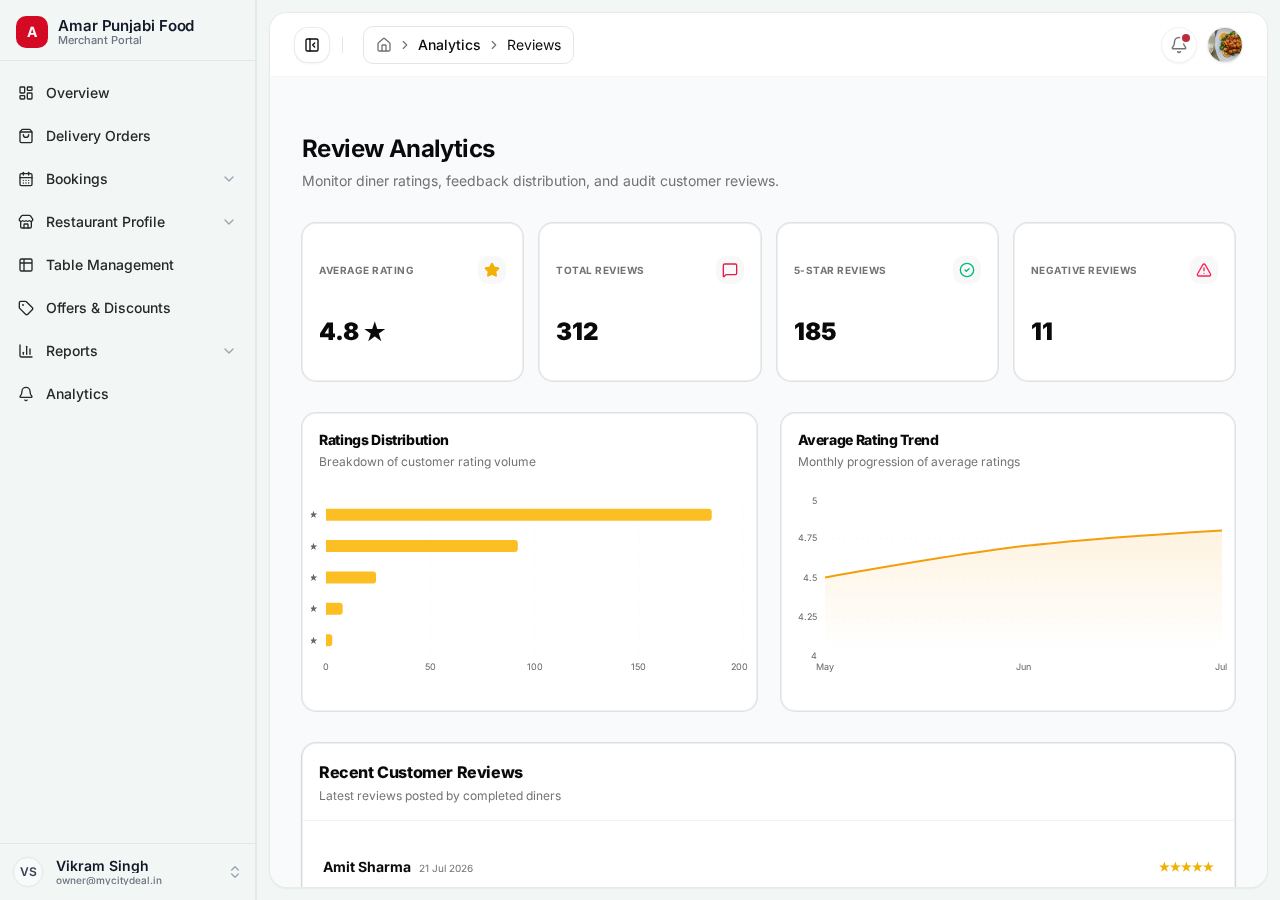
Rating and review trends:
- Average rating over time
- Review volume
- Rating distribution (5★, 4★, etc.)
- Common keywords in reviews
If your rating drops below 4.0, you lose customers. Monitor weekly.
Coupon Analytics
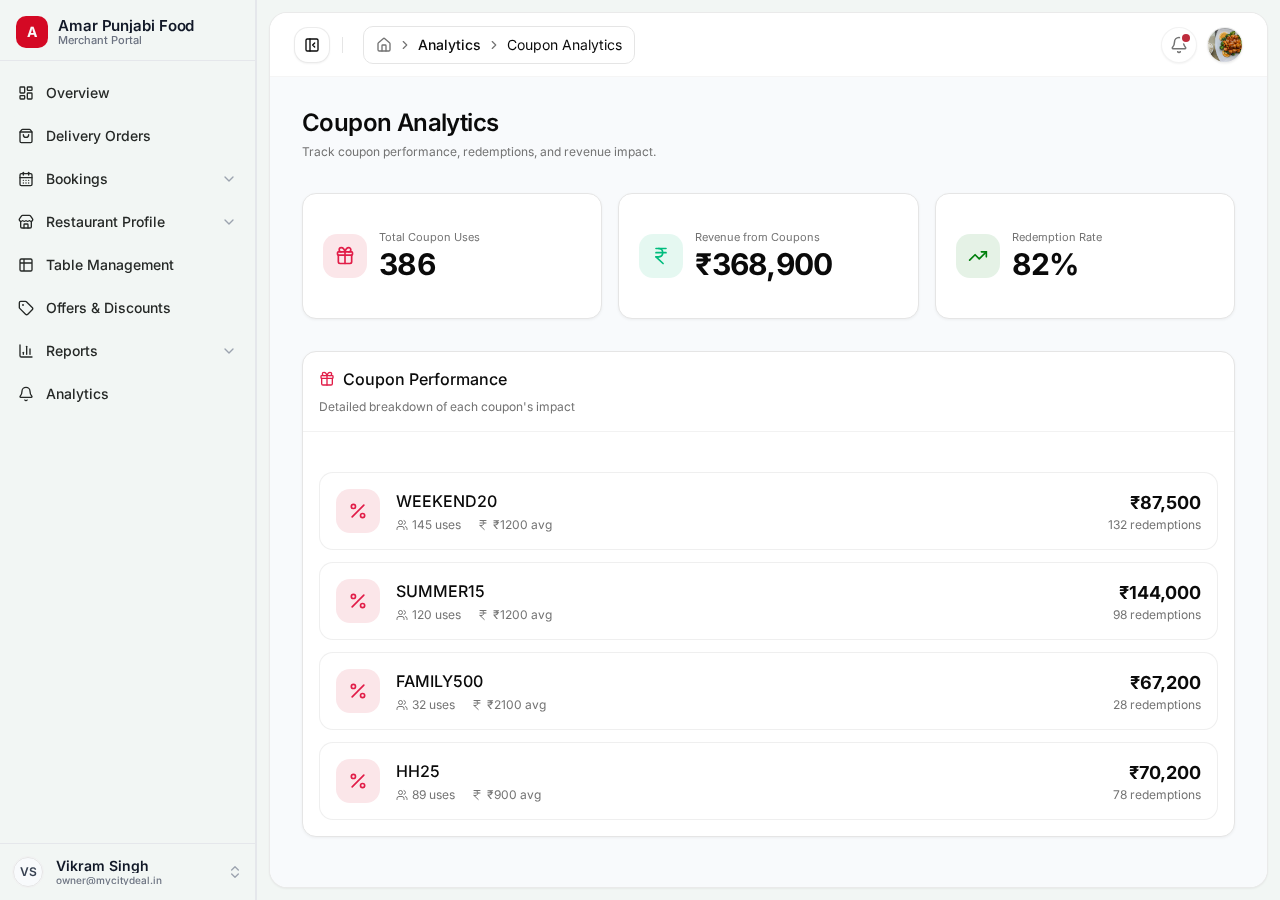
Deeper look at coupon performance:
- Which codes are most used
- Conversion rate (booked vs cancelled)
- ROI on each offer
How to Use These Reports
Weekly Routine
Every Monday morning:
- Check Revenue Tracking — see last week's numbers
- Compare to previous 4 weeks — trending up or down?
- Look at Bookings Analytics — are there slow days you can boost?
- Check Reviews — any concerns?
Monthly Review
First of every month:
- Full month Revenue report
- Customer retention metrics
- Adjust your offers based on performance
Quarterly Planning
Every 3 months:
- Year-over-year comparison
- Seasonal trends
- Plan offers for upcoming holidays
Tips
- ✅ Set date ranges to specific periods (last 7 / 30 / 90 days)
- ✅ Compare to equal-length previous periods
- ✅ Export reports to share with your team
- ❌ Don't make decisions on a single day — look at trends
Next
Head to Reports to learn about downloadable CSV exports.
Ready to grow your restaurant?
Join 50+ restaurants on MyCityDeal and start receiving bookings today.