Amenities
Customers filter search results by amenities. The more you check, the more likely customers will find you.
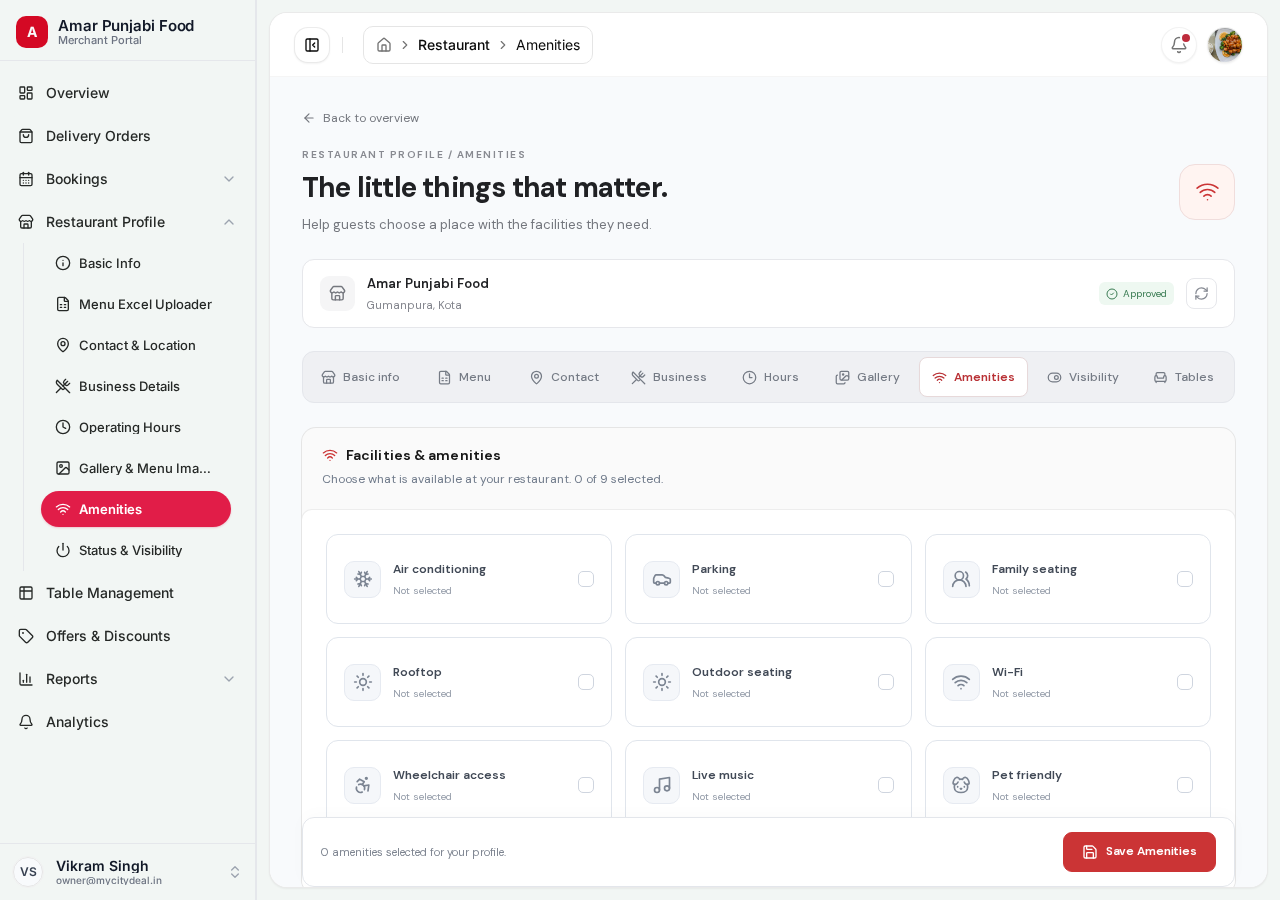
The Amenity List
Check all that apply to your restaurant:
| Amenity | Description |
|---|---|
| Wi-Fi | Free Wi-Fi for customers |
| Parking | On-site parking (valet or self) |
| AC | Air-conditioned seating |
| Outdoor seating | Patio, balcony, or terrace |
| Family-friendly | Kids welcome, high chairs available |
| Wheelchair accessible | Ramp, accessible seating, accessible washroom |
| Card payment | Accepts credit/debit cards |
| UPI payment | Accepts UPI (Google Pay, PhonePe, etc.) |
| Live music | Music on certain days |
| Bar | Full bar / alcohol service |
| Delivery | Own delivery service |
| Takeaway | Takeaway / parcel orders |
| Reservation | Accepts table reservations |
| Private dining | Private rooms available |
| Pet friendly | Pets allowed |
| Smoking area | Designated smoking zone |
| Buffet | Buffet service |
| Catering | Catering for events |
| Home delivery | Delivery through partners |
| Pure veg | 100% vegetarian |
How to Mark Amenities
- Click the toggle or checkbox next to each amenity you offer
- The change saves automatically (no "Save" button needed)
- You can come back anytime to update
Which to Mark
Be honest. Customers who arrive and discover you marked something you don't actually have will leave bad reviews.
Mark only what you consistently offer — not what you sometimes have.
Why This Matters
Amenities are powerful filters. A customer searching "outdoor seating" or "kid-friendly" or "wheelchair accessible" will only see restaurants with those checked.
The more amenities you check, the more searches you're visible in.
Saving
Auto-saved on each toggle. No manual save.
Next
Head to Status & Visibility to learn about controlling your listing's online state.
Ready to grow your restaurant?
Join 50+ restaurants on MyCityDeal and start receiving bookings today.