Approval Process
Once you save your Basic Info in the Profile section, your restaurant automatically enters the admin approval queue. There's no separate "Submit" button — submission happens automatically.
What Happens Behind the Scenes
The admin team sees a list like this in their dashboard:
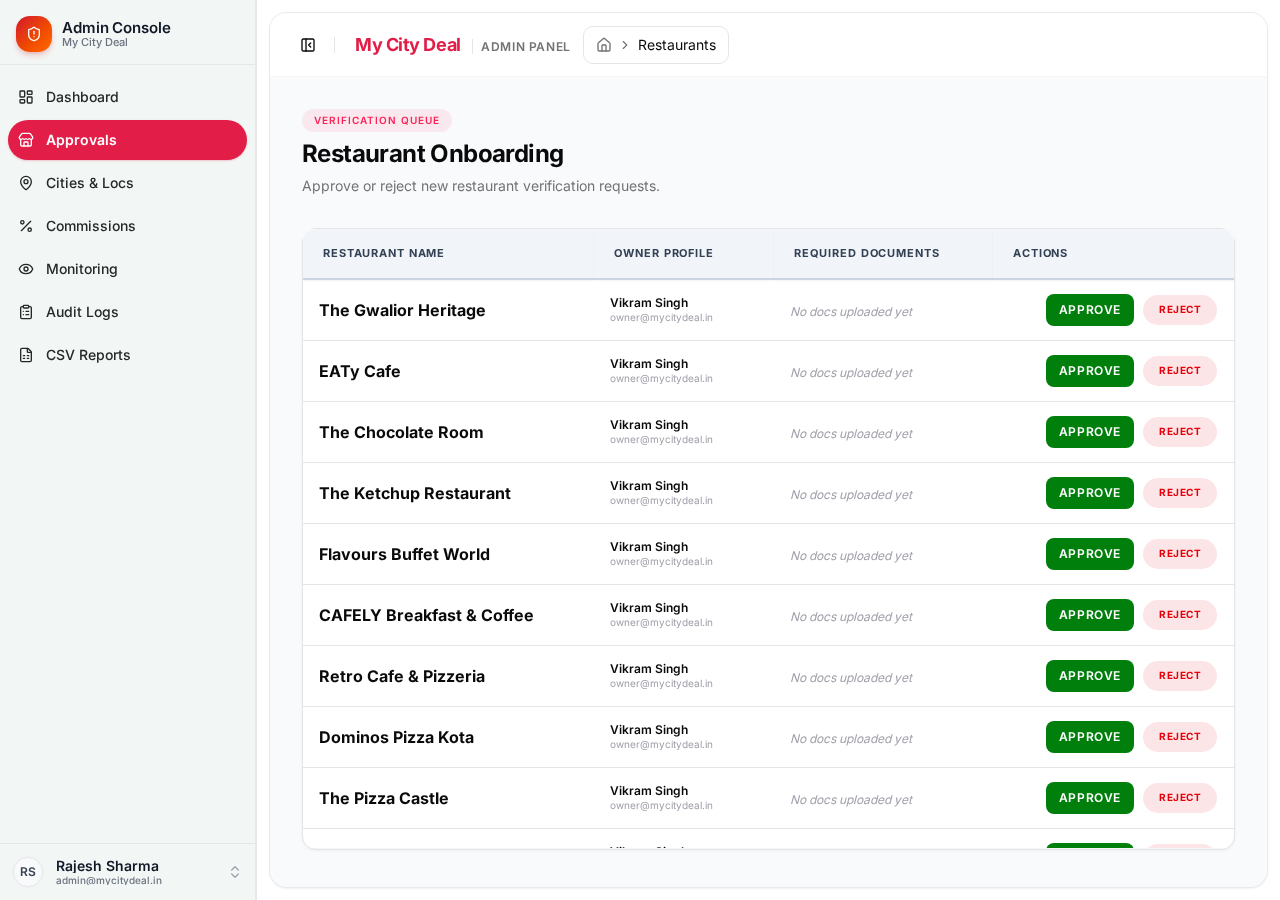
For each restaurant, they see:
- Restaurant name
- Your name + email
- Documents you've uploaded (if any)
- Two buttons: Approve (green) or Reject (red)
What the Admin Reviews
- ✅ Restaurant name and description are legitimate
- ✅ Address is real (they may verify on Google Maps)
- ✅ Phone and email are reachable
- ✅ Hours, capacity, cuisine are sensible
- ✅ If you've uploaded FSSAI / GST documents, those are checked
Timeline
| Scenario | Time |
|---|---|
| Best case | Same day (4-8 hours) |
| Average | 1-2 days |
| Worst case | 3-5 days (during high traffic) |
What You Can Do While Waiting
Your dashboard will show:
Platform status: pending approval
You can still:
- Edit your profile (changes don't affect the approval decision)
- Create offers (they become live only after approval)
- Manage tables (slots become visible only after approval)
You cannot:
- Receive real bookings (your profile is hidden from public listings)
- Be featured in search results
What Happens When You Get Approved
Two things happen at once:
- Your status changes to "Approved" in the dashboard (green badge)
- You get an email: "🎉 Your restaurant is approved!"
The email contains:
- Congratulations message
- A link to your dashboard
- Tips for your first week
- Direct support contact info
You can also see the approval in real-time by refreshing your dashboard.
What Happens If You're Rejected
You also get an email, but with the reason for rejection. Common reasons:
- Incomplete information — phone not reachable, address not found
- Documents missing or invalid — FSSAI/GST issues
- Policy violation — content violates our terms
You can fix the issue and re-submit. Your status goes back to Pending and the admin team re-reviews.
After Approval
Head to Going Live in the sidebar to see what happens next.
Ready to grow your restaurant?
Join 50+ restaurants on MyCityDeal and start receiving bookings today.