Offers & Coupons
Coupons attract customers and incentivize them to choose your restaurant over competitors. This page shows you how to create and manage them.
The Offers Section
The sidebar has 3 sub-pages:
| View | What it shows |
|---|---|
| Active Coupons | Currently running offers |
| Create Offer | New offer wizard |
| Offer History | Past / expired offers |
Active Coupons
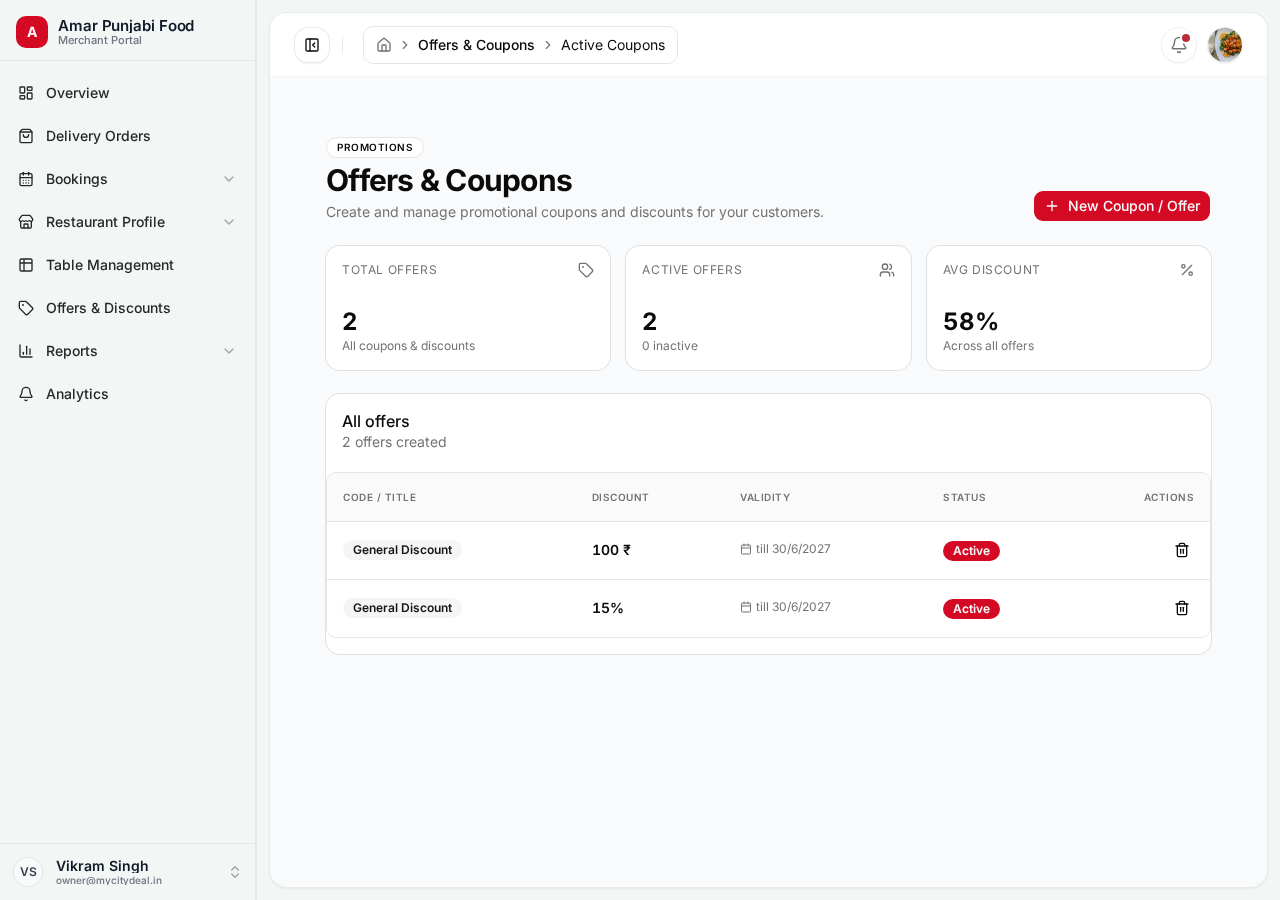
Currently running offers. For each, you see:
- Title and code
- Discount (e.g., "20% off" or "₹100 off")
- Valid dates
- Times used
- Toggle to enable/disable
To turn an offer ON or OFF, click the toggle. The offer is hidden from customers when OFF.
Create Offer
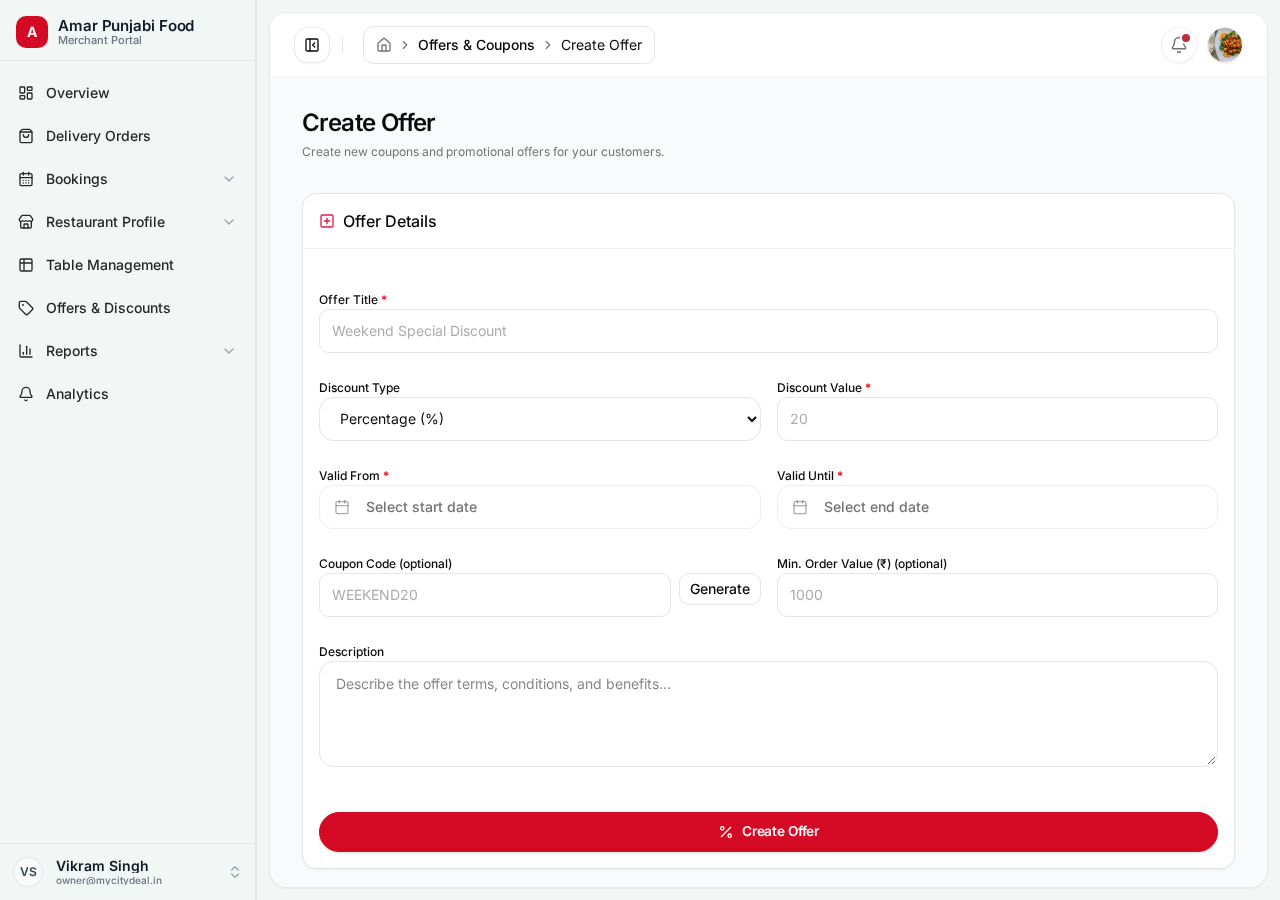
The new offer form has these fields:
| Field | Required | Example | Notes |
|---|---|---|---|
| Title | Yes | Weekend Special — 20% off |
Shown to customers |
| Discount type | Yes | PERCENTAGE or FLAT |
Choose one |
| Discount value | Yes | 20 (for 20%) or 100 (for ₹100 off) |
The amount |
| Valid from | Yes | 2026-09-09 |
When it starts |
| Valid until | Yes | 2026-12-31 |
When it expires |
| Code | Yes | WEEKEND20 |
Customer-facing code |
| Min billing amount | No | 500 |
Minimum bill to use it |
| Description | No | Valid on Sat-Sun only |
Visible to customer |
Example Offers
20% off on weekday lunch:
- Title:
Weekday Lunch Special - Discount type:
PERCENTAGE - Discount value:
20 - Valid: Mon-Fri, 12pm-4pm
- Code:
LUNCH20 - Min billing:
300
Flat ₹100 off for first-time customers:
- Title:
First Visit Discount - Discount type:
FLAT - Discount value:
100 - Code:
WELCOME100 - Min billing:
500
Creating Tips
- Use clear, specific titles (avoid "Sale" — use "Diwali Special 25% off")
- Set realistic minimum billing amounts (₹500 minimum for ₹100 off makes sense)
- Limit duration — short-term offers create urgency
- Use codes customers can remember
Offer History
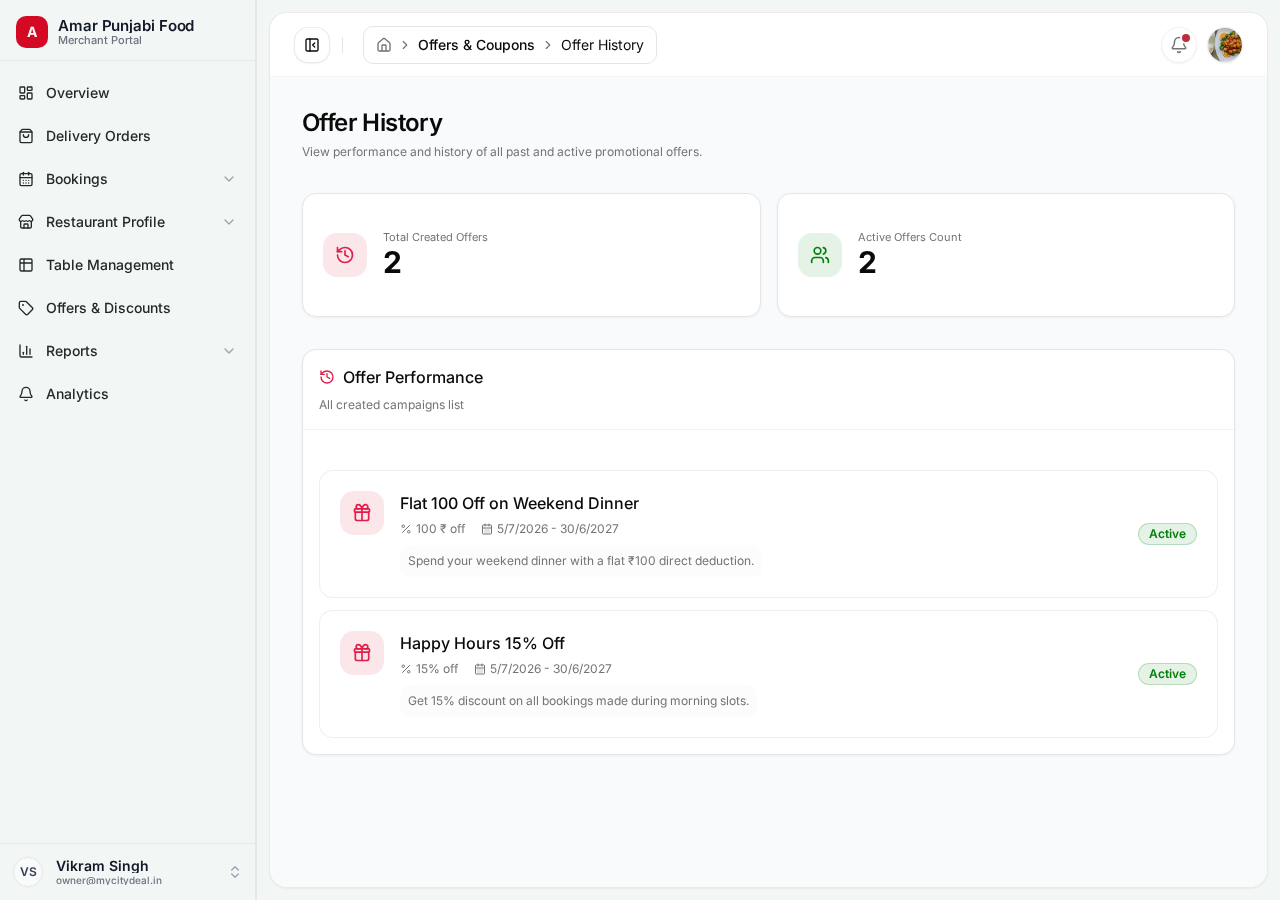
Past and expired offers with stats:
- Total times used
- Total discount given
- Average order value when used
Useful for analyzing what worked.
Promotion Tips
- ✅ Create 1-2 active offers at any time — gives customers reasons to choose you
- ✅ Run weekend specials — peak booking days
- ✅ Use first-visit coupons — converts new customers to repeat
- ✅ Time-bound offers — creates urgency
- ✅ Track performance — disable offers that don't convert
- ❌ Don't run overlapping offers — confuses customers
- ❌ Don't make offers too restrictive (e.g., Mon 11-11:30am only)
Next
Head to Delivery Orders to learn about managing online food orders.
Ready to grow your restaurant?
Join 50+ restaurants on MyCityDeal and start receiving bookings today.