Billing & Commission
This page explains how MyCityDeal charges commission on bookings and how you track + pay it.
How Commission Works
For each completed booking:
- Customer dines and pays you directly (via UPI, card, cash)
- You record the bill amount in the dashboard
- Commission is calculated as commissionPct% × bill_amount
- Commission becomes a "pending due"
- You pay via UPI and upload the UTR screenshot
- Admin verifies, marks settled
Important: You receive the full bill amount from customers. Commission is paid separately after the fact.
What the Customer Confirms, and When
The customer's side of a dine-in bill is their own record of the same settlement — useful when a table disputes a coupon, because both figures survive.
| Step | Who | What is stored |
|---|---|---|
| 1. Close the table | You, on Manage reservations or the verification desk | Actual bill, the offer, and the final amount (final = actual − offer, never below zero) |
| 2. Check and confirm | The customer, on their booking or their link | the bill they entered, the discount they were given, the amount they agreed to pay, plus the time |
A worked example. A table spends ₹2,000 and the booking carried a 50% offer. Your close stores actual ₹2,000, discount ₹1,000, final ₹1,000. Their screen opens with 2,000 already in the box — the actual bill, not the discounted total — because the offer is subtracted from whatever they type; seeding ₹1,000 would have charged the discount twice and made the bill look halved. They see the three lines (actual, discount, final) above the box, may correct the amount, and confirm: their record becomes ₹2,000 / ₹1,000 / ₹1,000.
Why the box is empty before step 1. Until the table is closed there is no bill to agree on, so "Confirm Bill Checkout" is not offered and the API refuses it. A booking that was still waiting for approval could once be "confirmed" against an open table, which made an unpaid, unverified bill look settled to both sides.
If the two records differ. Both are kept and you are notified. Nothing overwrites anything: your close owns actual / discount / final, their confirmation owns the bill they entered / the discount they were given / the amount they agreed to pay. Commission is calculated from the final amount.
The Billing Section
The sidebar has 4 sub-pages:
| View | URL | What it shows |
|---|---|---|
| Commission Summary | /dashboard/billing/summary |
Total commission owed this month |
| Pending Dues | /dashboard/billing/pending-dues |
Bills awaiting payment |
| Payment History | /dashboard/billing/payment-history |
Past commission payments |
| Settlement | /dashboard/settlement |
Payout summary + next payout date |
Commission Summary
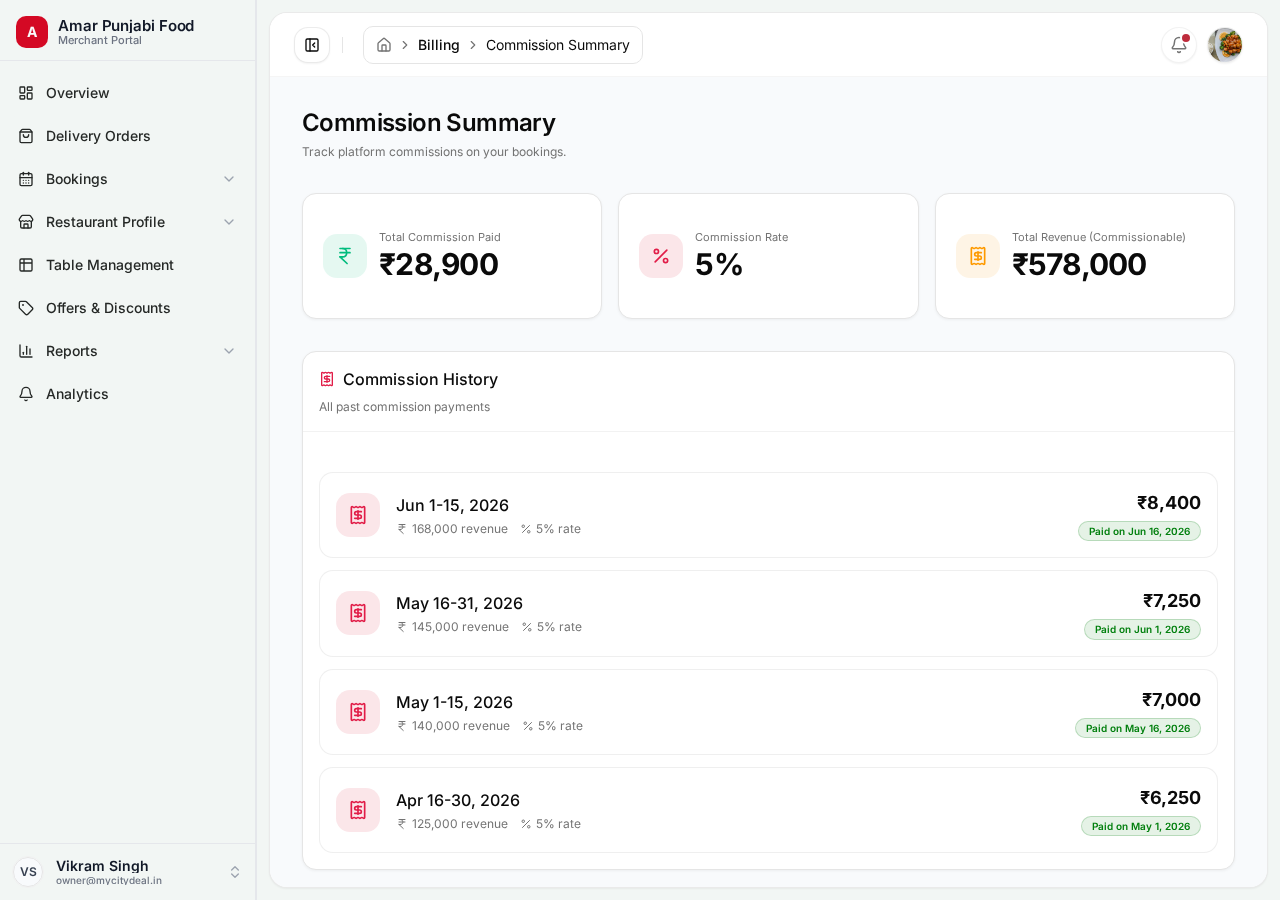
Shows your current commission rate and total owed this month:
| Field | Example | Notes |
|---|---|---|
| Commission rate | 5% |
Set per restaurant by admin |
| This month's bookings | 42 |
Count of completed |
| This month's revenue | ₹84,000 |
Total bill amounts |
| This month's commission | ₹4,200 |
What you owe |
Pending Dues
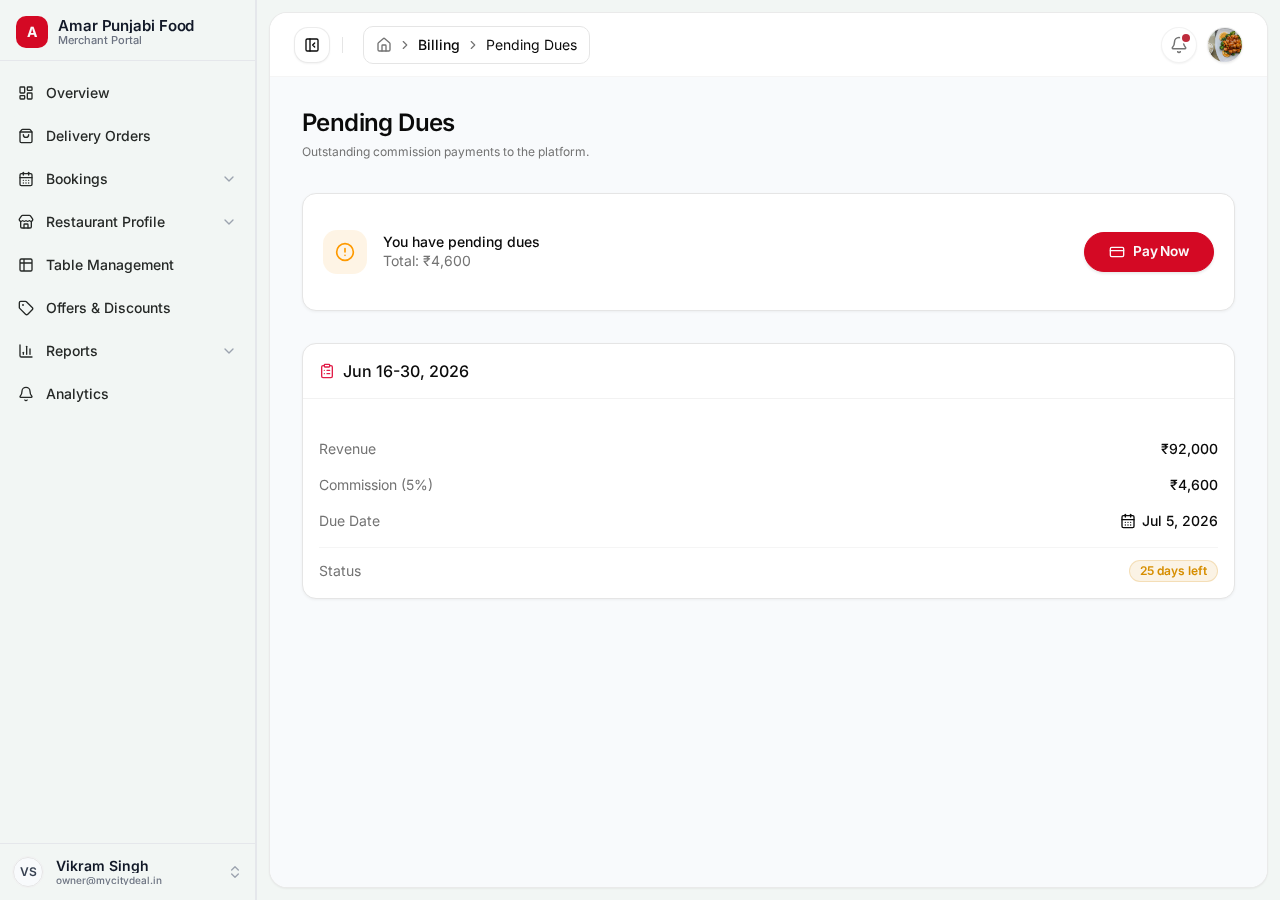
The bills you need to pay commission on. For each pending due:
- Booking ID
- Customer name + date
- Bill amount
- Commission due
- Action: "Mark Paid"
How to Mark a Due as Paid
- Find the due in this view
- Pay the commission to MyCityDeal's UPI ID (shown on the page)
- Note the UTR number from your bank
- Click "Mark Paid"
- Enter the UTR number + amount
- Upload a screenshot (optional but recommended)
- Click "Submit"
Admin will verify and mark as settled within 24 hours.
Payment History
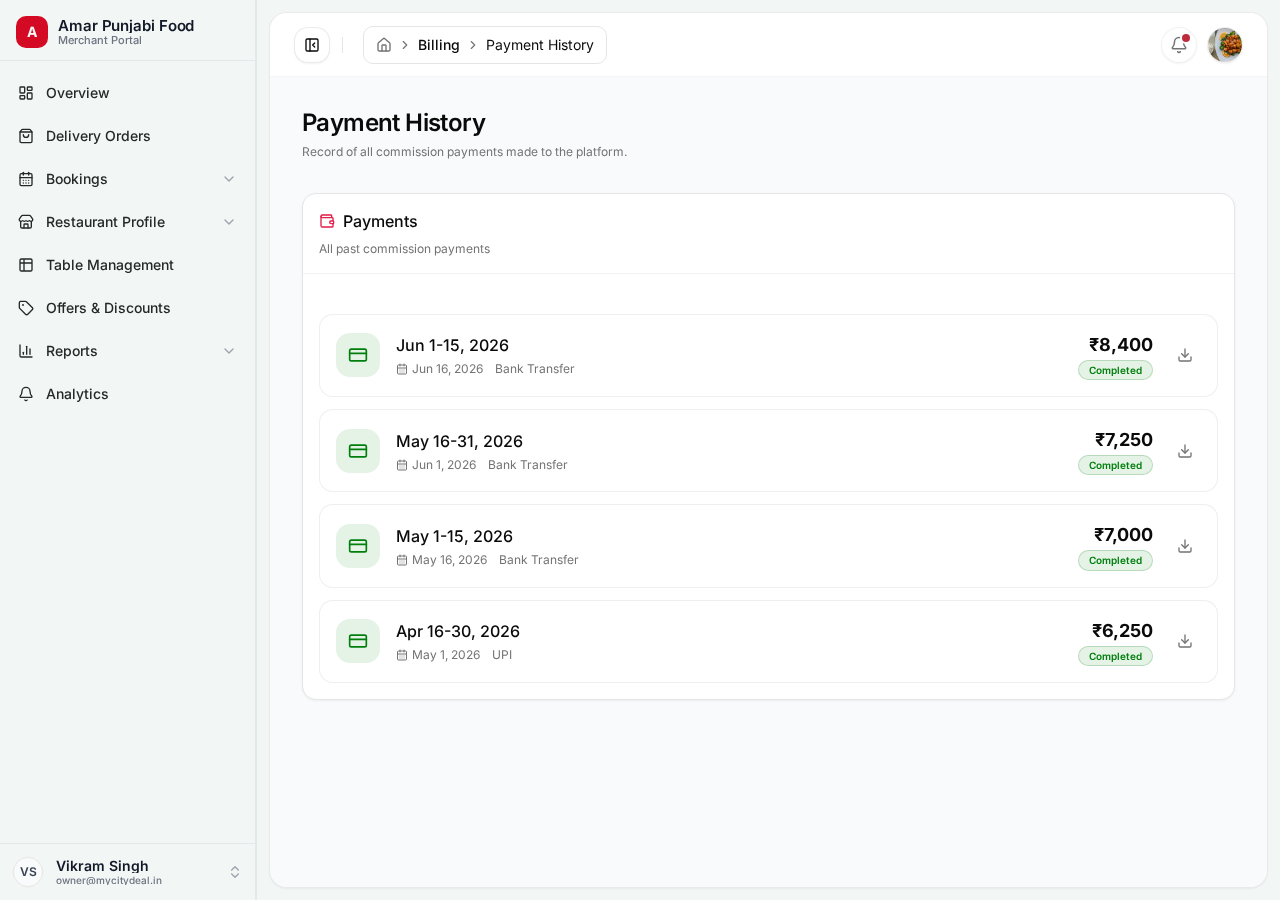
All past commission payments:
- Date paid
- Amount
- UTR number
- Status (verified/pending)
Useful for accounting records.
Settlement
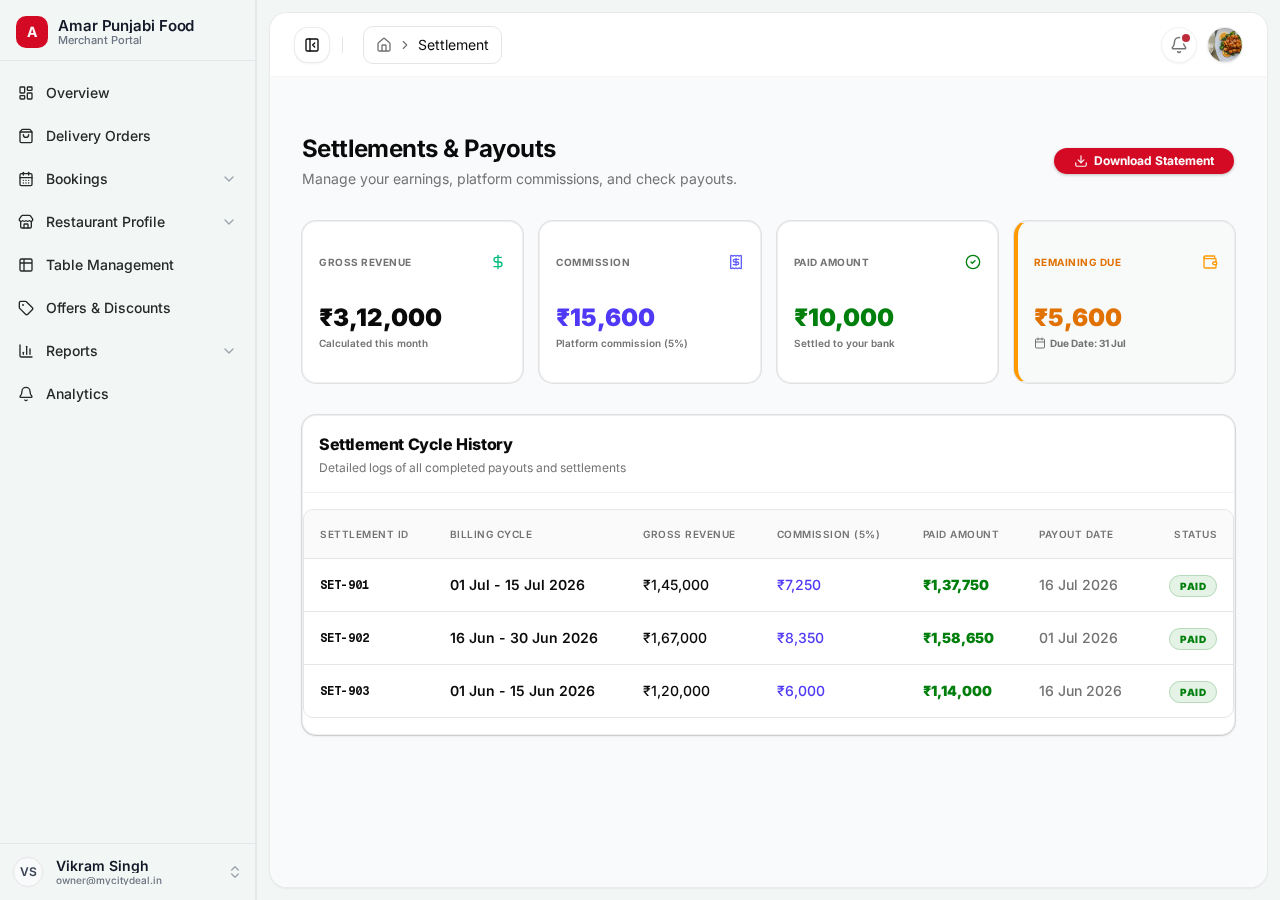
Overall settlement view:
- Total commission ever paid
- Current month status
- Next payout date (if applicable)
- Lifetime value as a partner
Common Questions
When is commission due?
Commission becomes payable within 7 days of the booking completion. After that, it shows in your Pending Dues.
What if I forget to pay?
Pending dues get reminders after 14, 30, and 45 days. After 60 days, MyCityDeal may suspend your account.
Can I dispute a commission?
Yes. If you think a commission is wrong, click "Dispute" on the pending due. We review and adjust if appropriate.
What payment methods do you accept?
UPI only for commission payments. Get the UPI ID from the Pending Dues page.
Is commission the same for all bookings?
By default, yes. Some restaurants have tiered rates (e.g., 5% for dine-in, 3% for delivery). Check your contract.
Next
Head to Account Settings to learn how to manage your profile and security.
Ready to grow your restaurant?
Join 50+ restaurants on MyCityDeal and start receiving bookings today.