Contact & Location
This sub-page tells customers how to reach you and where you are. Keep this accurate — customers use this info for their visits.
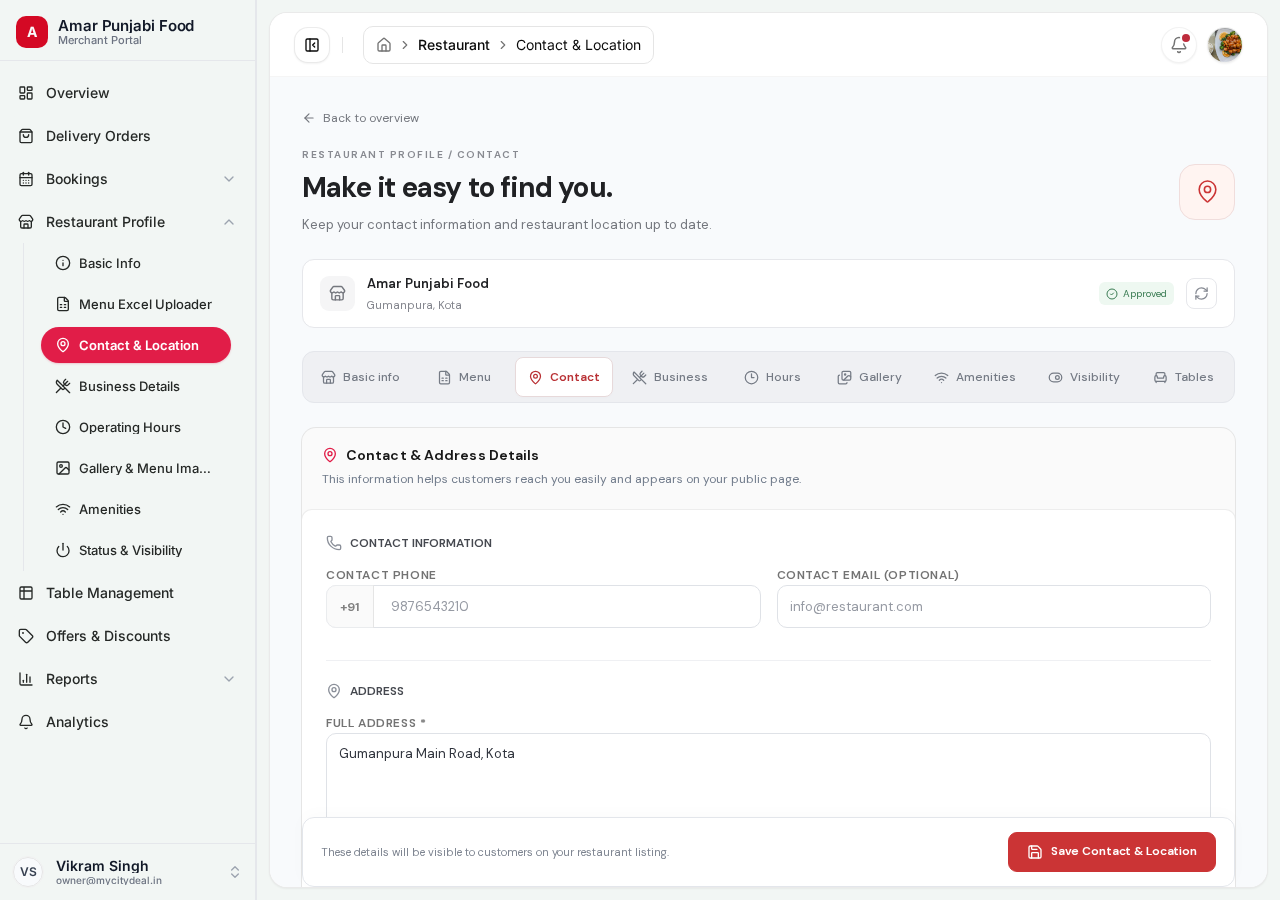
What you'll fill
| Field | Required | Example | Notes |
|---|---|---|---|
| Phone | Yes | 9876543210 |
10-digit Indian mobile |
| Yes | contact@biryani-blues.in |
For customer inquiries | |
| Google Profile link | No | https://g.page/r/... |
Link to your Google Maps listing |
| Address | Yes | Shop 12, Main Market, Talegpor |
Street address |
| City | Yes | From dropdown | Sourced from /api/cities |
| Locality | Yes | From dropdown | Filtered by selected city |
Why Each Field Matters
Phone
Customers see this on your detail page. They may call to ask about hours, menu, or reservations. Make sure someone is available to answer.
This is where booking confirmations go (to the customer) and where they can reach you for support issues.
Google Profile Link
If you have a Google Maps business profile, paste the URL here. Customers can click to get directions, see reviews, and check hours.
Address
Be as specific as possible. Include:
- Building/shop number
- Street/road name
- Landmark (e.g., "Near XYZ Mall")
- Pin code
City + Locality
These come from dropdowns (we maintain the official list). Pick the most accurate one. Locality is more granular than city (e.g., "Andheri West" instead of just "Mumbai").
If your city or locality isn't in the dropdown, contact support at support@mycitydeal.com and we'll add it.
The location pin comes first
Above the written address there is a map. Drop the pin on your exact kitchen location before you save — tap the map, drag the pin, or use "Use my current location". The page will not save without it.
This pin is not decoration. Delivery distance (and therefore the delivery fee, and any delivery limit you set) is measured from this pin to the customer's pinned address — see How Delivery Fees Are Calculated. A typed address like "near the petrol pump" cannot be measured; the pin can. Dropping the pin also suggests a written address from the map, which you can then correct.
Saving
Click "Save Contact & Location" at the bottom. Changes apply immediately.
Next
Head to Business Details to set your cuisine, capacity, and pricing.
Ready to grow your restaurant?
Join 50+ restaurants on MyCityDeal and start receiving bookings today.